

Shining3D Inspect
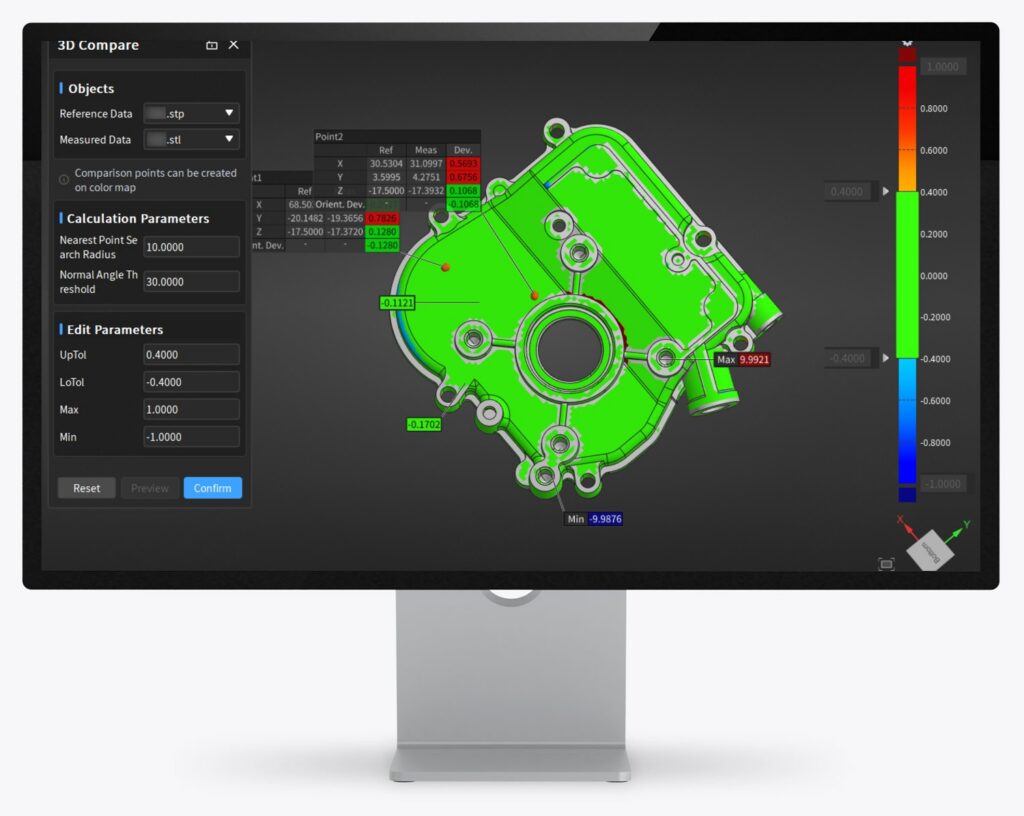
Shining3D Inspect – 3D comparison with colour map on screen

Shining3D Inspect

Modular 3D inspection, PTB-certified.

SHINING3D Inspect is a streamlined, modular 3D inspection software with PTB-certified measurement capability. It covers the entire inspection process – from data capture through alignment, GD&T evaluation and deviation analysis to a customisable inspection report.

Why SHINING3D Inspect?

The modular, PTB-certified software combines scanning, analysis and reporting – on a desktop workstation, directly on the scanner or in automated workflows.

Highlights:

  • PTB-certified measurement capability
  • Streamlined workflow with integrated hardware and software
  • Industry-specific inspection modules
  • Customisable inspection reports
Book a demo
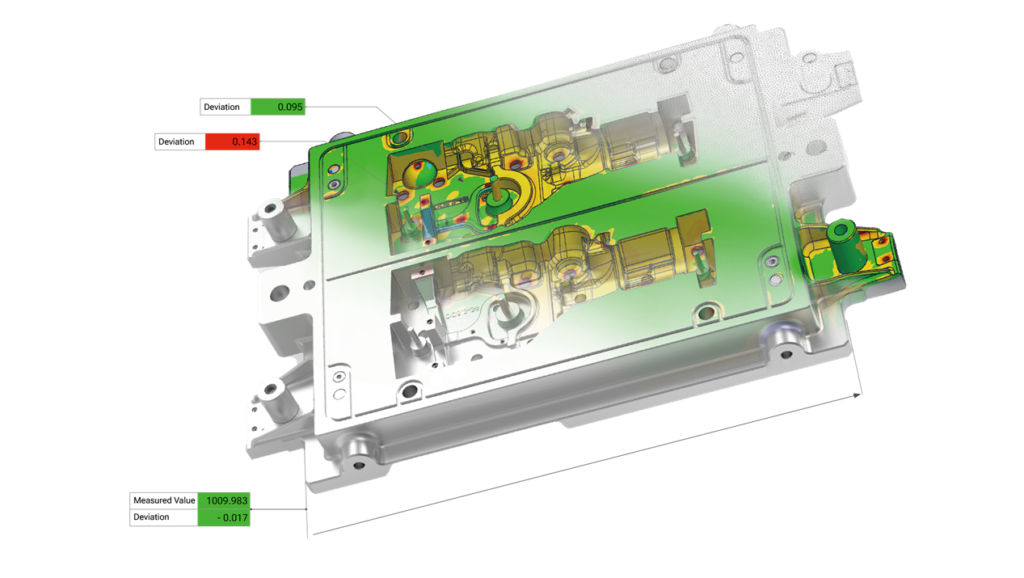
Shining3D Inspect – full-field deviation analysis

Full-field deviation analysis

Scan data is compared with the CAD model across the full field and displayed as a 3D colour map. 2D cross-section analyses and freely adjustable colour scales are also available.
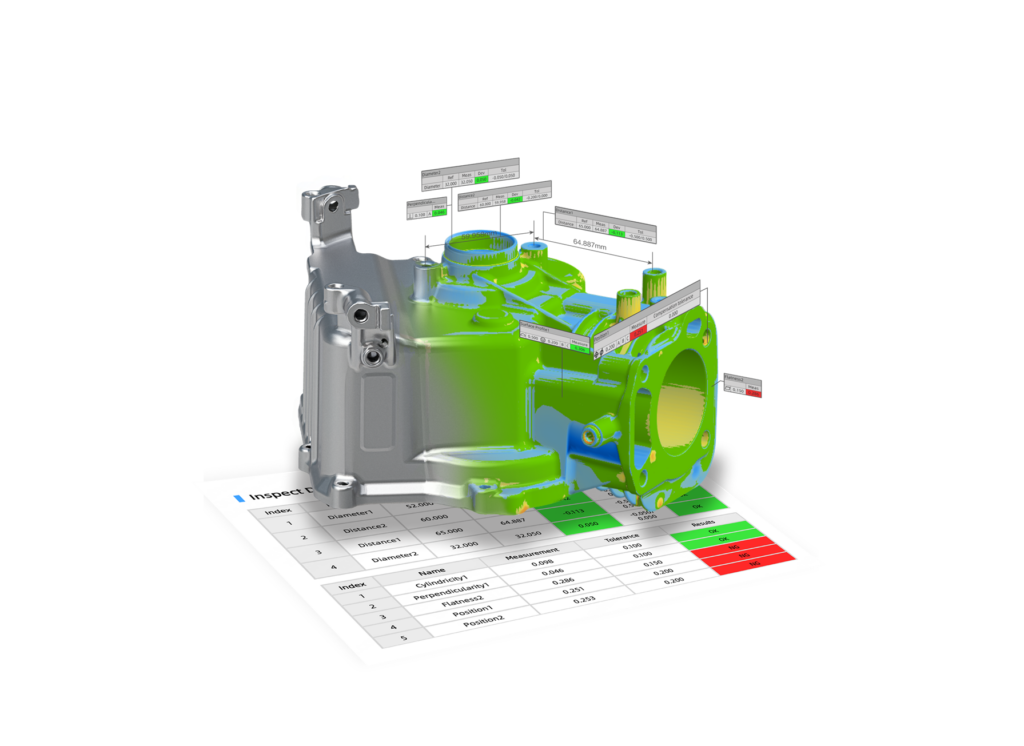
Shining3D Inspect – GD&T evaluation to ISO and ASME

Standard-compliant GD&T evaluation

Switchable between ISO and ASME: critical dimensions are evaluated according to GD&T and the tolerances of functional features are reliably verified.
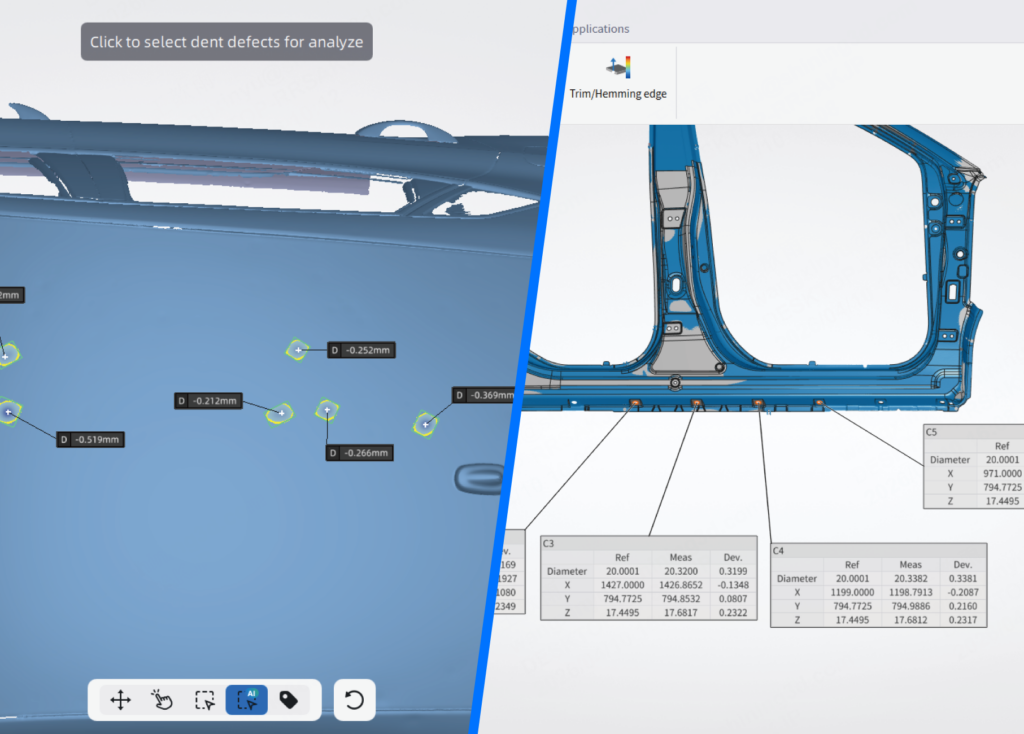
Shining3D Inspect – inspection modules for dents and sheet metal

Application-oriented inspection modules

The dent inspection module detects dents and surface deviations. The sheet metal inspection module analyses deformation, springback and profile deviations.
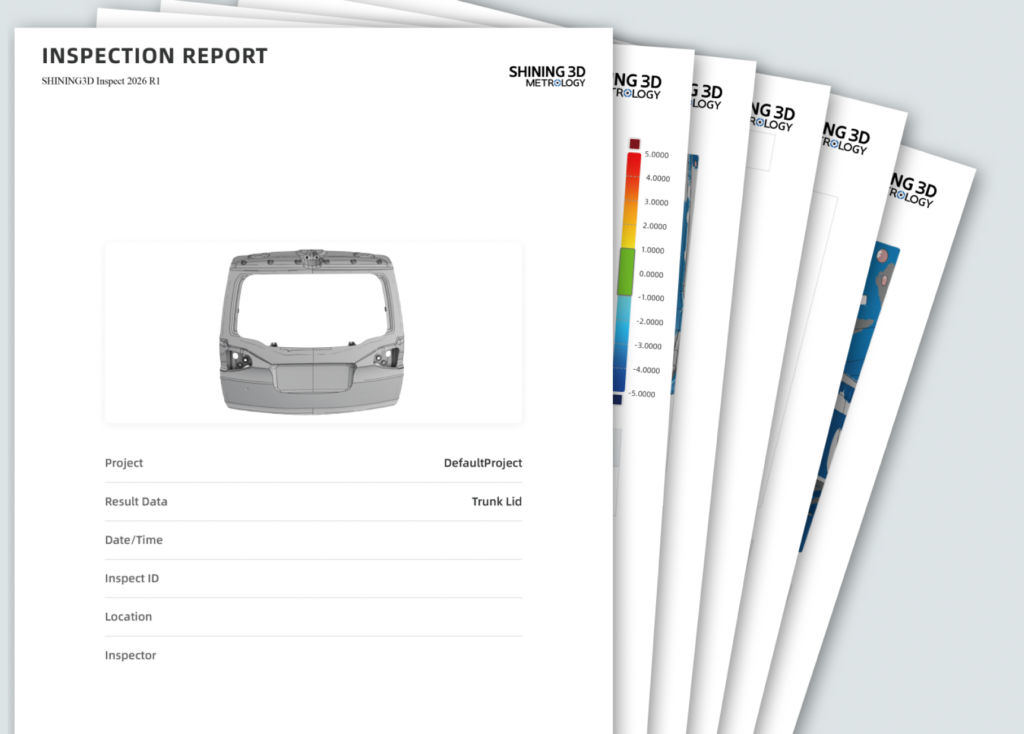
Shining3D Inspect – automated inspection report

Automated, customisable reporting

Structured reports with a clear presentation of deviations and measured values – fully documented and traceable.

Flexible deployment
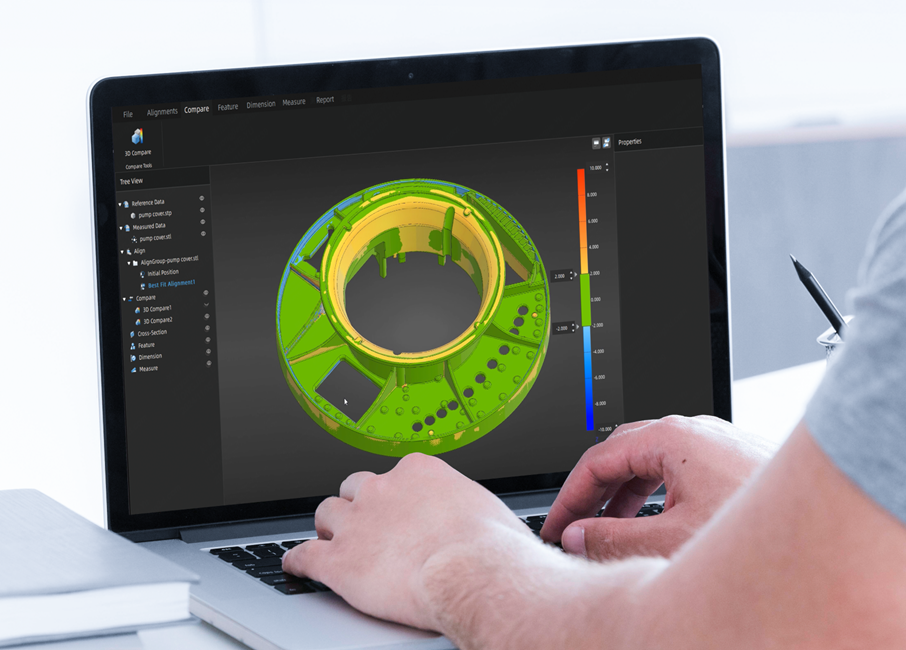
Shining3D Inspect – inspection at a desktop workstation

Desktop inspection

Full functionality on a standard workstation.
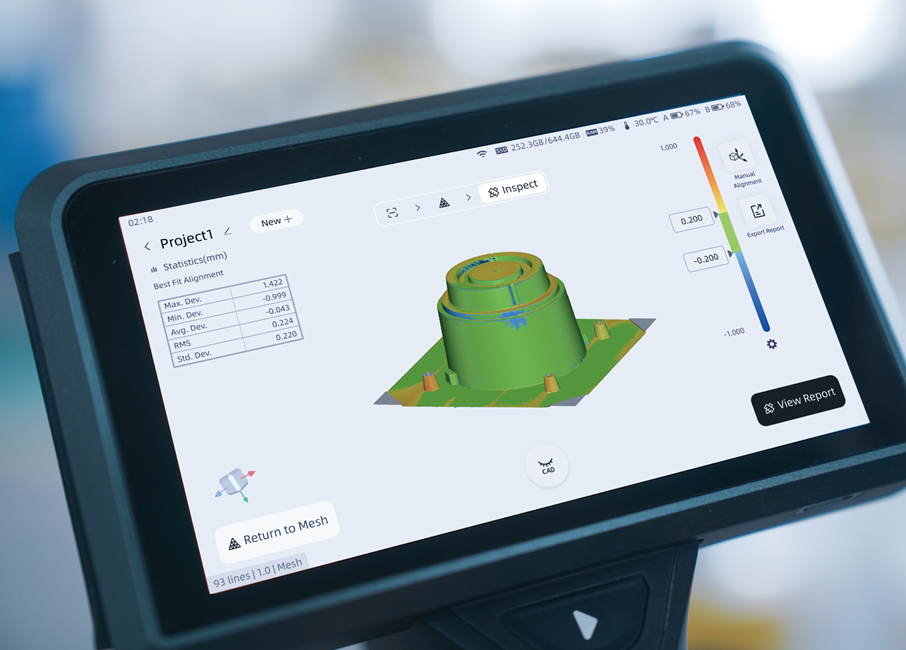
Shining3D Inspect – inspection directly on the FreeScan Omni

On-device inspection

Inspection directly on the FreeScan Omni 3D scanner.
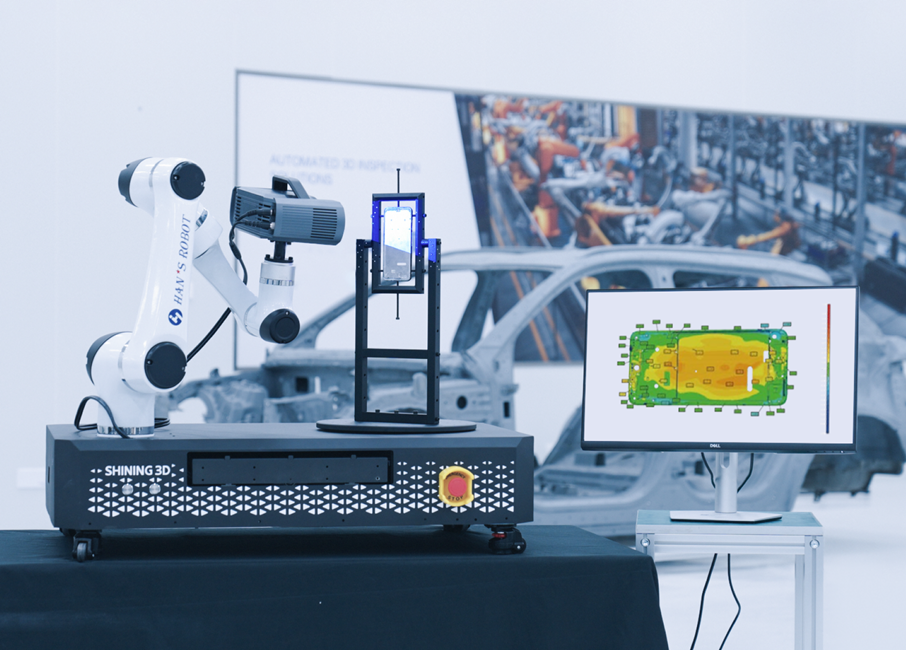
Shining3D Inspect – automated inspection

Automated inspection

Integration into automated systems for repeatable inspection workflows.

More features

Multi-format data import and management

Versatile alignment tools

2D dimension inspection

2D and 3D comparison

Measurement tools

Intelligent feature recognition

Cross-section analysis

Light and dark UI

Downloads

Technical specifications

Operating systemWindows 10 (64-bit) and Windows 11 (64-bit)
ProcessorIntel Core i7-11800H or higher
Graphics cardNVIDIA GTX 1050 or higher
At least 2 GB graphics memory
An NVIDIA graphics card is recommended; an integrated graphics card may affect performance.
RAM32 GB or more

Frequently asked questions